Sàn Giao Dịch
Guide to Opening an MBS Securities Account via Website
🌐 Guide to Opening an MBS Securities Account via Website
Broker information to attach:
- ID: 2TKH
- Name: TRẦN BÁ TÂN

Steps to follow:
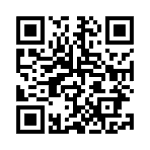
- Access the MBS account opening website
👉 Link: https://open.mbs.com.vn - Enter personal information
- Fill in your phone number → receive OTP verification.
- Provide full name, email, and address as required.
- Verify documents
- Upload photos of your National ID/CCCD (front and back).
- Perform online facial verification (eKYC) using a webcam/laptop camera/mobile phone.
- Select the introducing broker
- In the Referral Code / Broker ID field, enter: 2TKH.
- Confirm when the name TRẦN BÁ TÂN appears.
- Sign the electronic contract
- The system will display the contract → Confirm and sign online using OTP code.
- Completion
- After finishing registration, your account will be activated.
- You will receive your MBS securities account number via SMS/email.
- You can then log in to the MBS Mobile App or Web Trading to start trading immediately.
👉 So, you now have two ways to open an account:
- Via MBS Mobile App (convenient for mobile users).
- Via Website open.mbs.com.vn (convenient for desktop users).