Đầu Tư
Hướng dẫn mở tài khoản chứng khoán miễn phí
🌐 Hướng dẫn mở tài khoản chứng khoán miễn phí
👉 Link: https://open.mbs.com.vn
Thông tin broker để gắn:
- ID: 2TKH
- Tên: TRẦN BÁ TÂN
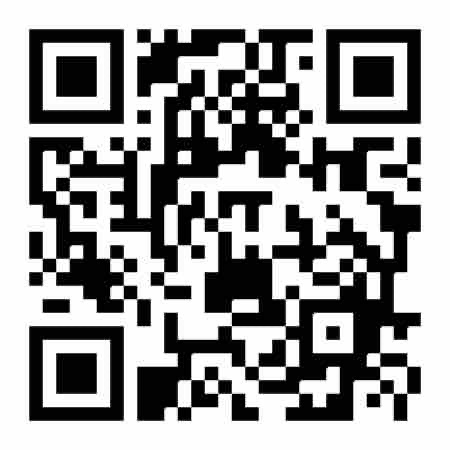
Các bước thực hiện
- Truy cập website mở tài khoản MBS
👉 Link: https://open.mbs.com.vn - Nhập thông tin cá nhân
- Điền số điện thoại → nhận OTP xác thực.
- Cung cấp họ tên, email, địa chỉ theo yêu cầu.
- Xác thực giấy tờ
- Tải lên ảnh CMND/CCCD (mặt trước và mặt sau).
- Xác thực khuôn mặt online (eKYC) bằng webcam/máy ảnh laptop/điện thoại.
- Chọn broker giới thiệu
- Trong mục Mã giới thiệu / ID môi giới, nhập: 2TKH
- Kiểm tra hiện ra tên TRẦN BÁ TÂN, sau đó xác nhận.
- Ký hợp đồng điện tử
- Hệ thống hiển thị hợp đồng → Xác nhận ký online bằng mã OTP.
- Hoàn tất
- Sau khi hoàn tất đăng ký, tài khoản sẽ được kích hoạt.
- Bạn sẽ nhận số tài khoản chứng khoán MBS qua SMS/email.
- Có thể đăng nhập vào App MBS Mobile hoặc Web Trading để giao dịch ngay.
👉 Vậy là bạn đã có 2 cách mở tài khoản:
- Qua App MBS Mobile (tiện cho dùng điện thoại).
- Qua Website open.mbs.com.vn (tiện cho mở trên máy tính).
ENGLISH
🌐 Guide to Opening an MBS Securities Trading Account via Website
👉 Link: https://open.mbs.com.vn
Broker information to enter:
- ID: 2TKH
- Name: TRẦN BÁ TÂN
Steps to Register
- Access the MBS account opening website
👉 https://open.mbs.com.vn - Enter personal information
- Provide your phone number → receive an OTP for verification.
- Fill in your full name, email, and address as required.
- Verify identification documents
- Upload photos of your National ID/ Citizen ID card (front and back).
- Complete online facial verification (eKYC) using your webcam or mobile camera.
- Select introducing broker
- In the Referral Code / Broker ID field, enter: 2TKH.
- Confirm when the name TRẦN BÁ TÂN appears.
- Sign the electronic contract
- The system will display the contract → confirm and sign online using an OTP code.
- Finish
- After successful registration, your account will be activated.
- Your MBS securities account number will be sent via SMS/email.
- You can then log in to the MBS Mobile App or Web Trading platform to start trading immediately.
👉 You now have two ways to open an account:
- Via the MBS Mobile App (convenient for smartphone users).
- Via the Website open.mbs.com.vn (ideal for computer use).